v0.0.1 is here
First public release. Go break it.
Right then. STRAT v0.0.1 pre-alpha is out. You can download it now and actually use it. It's rough around the edges and there will be bugs but it works and I wanted to get it into people's hands rather than sitting on it trying to make everything perfect.
Windows only. .zip file. Pre-alpha — expect bugs.
Since the last post things have moved fast. The core of the app is working — you point it at your iRacing telemetry folder and it picks up all your .IBT files automatically. The session browser shows everything grouped by car, track and date so you can find what you're looking for without digging through filenames.
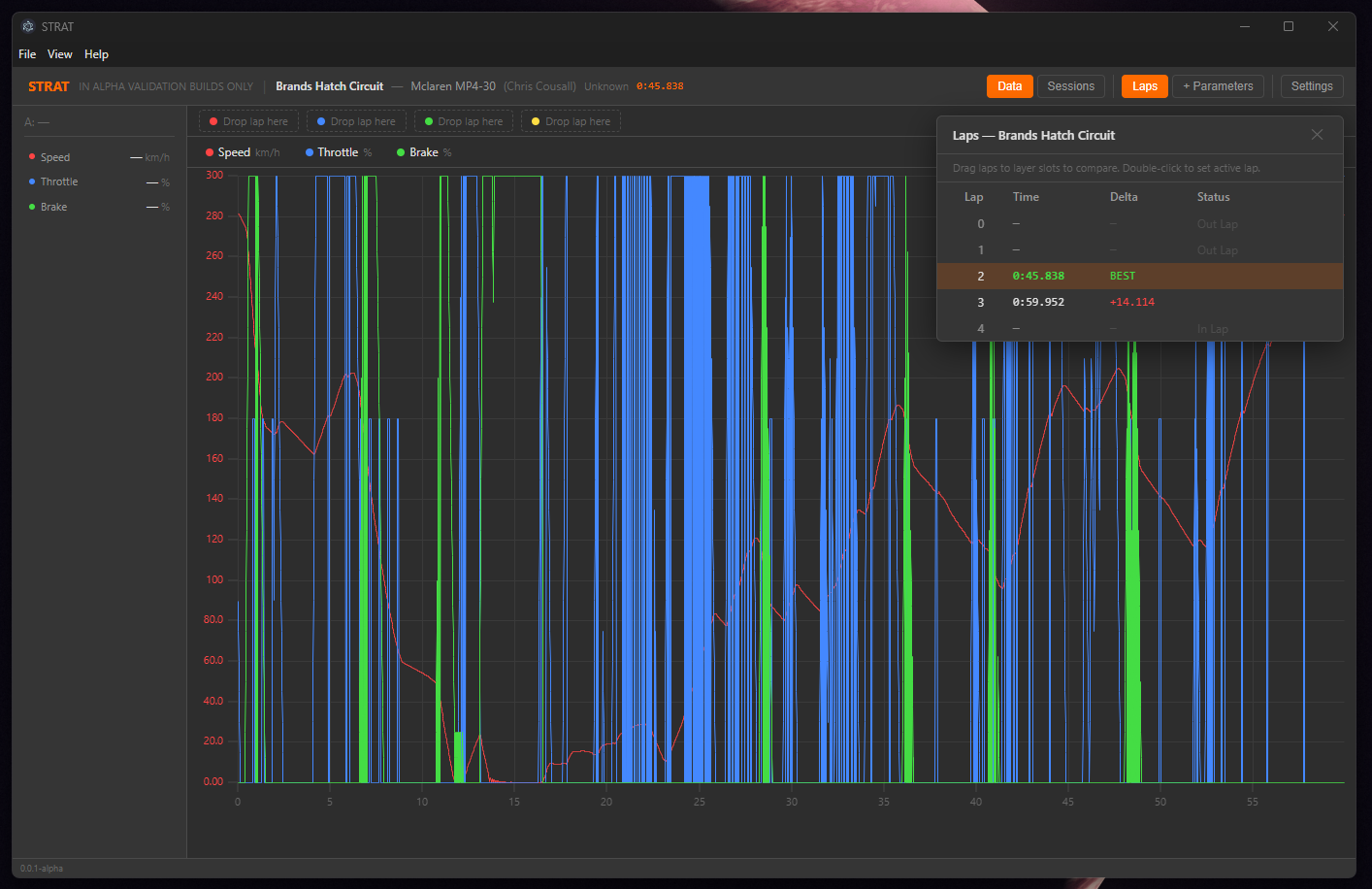
The bit I'm most pleased with is the lap table. Click on a session and you get a popup showing every lap with the time, the delta to your best, and whether it was an in lap, out lap or a proper timed lap. You can see it in the screenshot above — lap 2 was the quick one at Brands Hatch, 45.8 seconds. Lap 3 was 14 seconds off which is what happens when you run wide at Paddock Hill.
The trace view is working too. You drag channels from the parameters list onto the main area and they stack up — speed, throttle, brake, whatever you want. The dual cursor system lets you click two points and it shows you the values at both positions plus the gap between them. Handy for measuring braking zones or seeing exactly how much time you're losing through a particular section.
Here's what's in this build:
Session browser — auto-detects your iRacing telemetry folder, indexes all .IBT files, filterable by car and track
Trace view — drag channels on, stacked strips, scroll to zoom, click and drag to pan
Lap table — every lap listed with times, delta to best, in/out lap detection
Dual cursors — click to place, click again for a second cursor, data panel shows values at both points
Channel settings — double-click any channel to change its colour or adjust the Y-axis scale
Settings page — configure your telemetry folder path, switch between metric and imperial units
What's not in yet: the 4-layer lap comparison system isn't wired up (the layer slots are there in the UI but you can't drag laps onto them yet), collapsible channel strips aren't done, and there's no track map. Those are next.
A few things to know before you download. This is a pre-alpha. I built it to see if the concept works and to start getting feedback. It will crash on some files. Some channels might show wrong units. The UI will feel a bit janky in places. That's all expected and I'm working through it. If you find something broken I genuinely want to hear about it — that's the whole point of putting this out early.
Next up I'm focusing on getting the layer comparison system working properly so you can actually overlay laps against each other. That's when STRAT goes from "nice data viewer" to "actually useful for improving your driving." After that it's the track map and then Le Mans Ultimate support.
Thanks for checking it out. More soon.